








Welcome to Our Help Desk.
You will get all the detailed information for your queries related to our Shopify apps.

-
Analytics

-
General
-
How to add a Form on my page?
-
Why use Our Embed Contact Us Form Builder
- Suitable for all Theme
- You can apply your own CSS and JS
- Add multiple receivers + BCC facilities
- Allow Duplicate Entry
- After form submission event
- Creating multiple forms
- Built-in Antispam
- Spam filter using ReCaptcha.
- Your own email Inbox Design
- File Upload Feature
- Add submitted form ID on subject
- Webhook for leads
-
Email Capture Tools and ReCaptcha
-
Plans and Settings
-
Other
-
App DashBoard
-
Questions and Answer
Google ReCaptcha
 6620 Views
 March 03, 2021
You can easily integrate Google ReCaptcha. Just create an API key add it under settings.
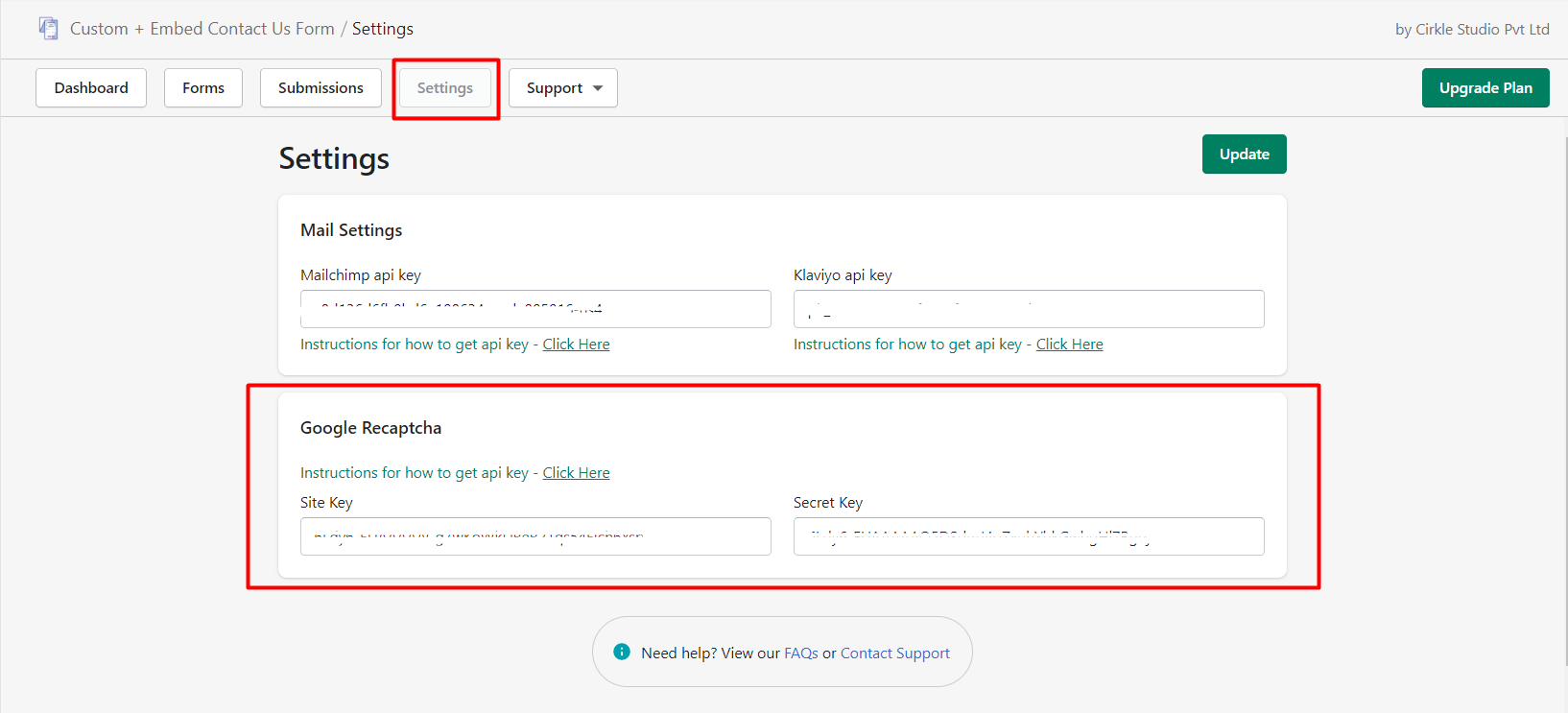
Click Here to get the instruction on how can you create an API.
After adding the API you just need to enable your ReCaptcha when you create the form.
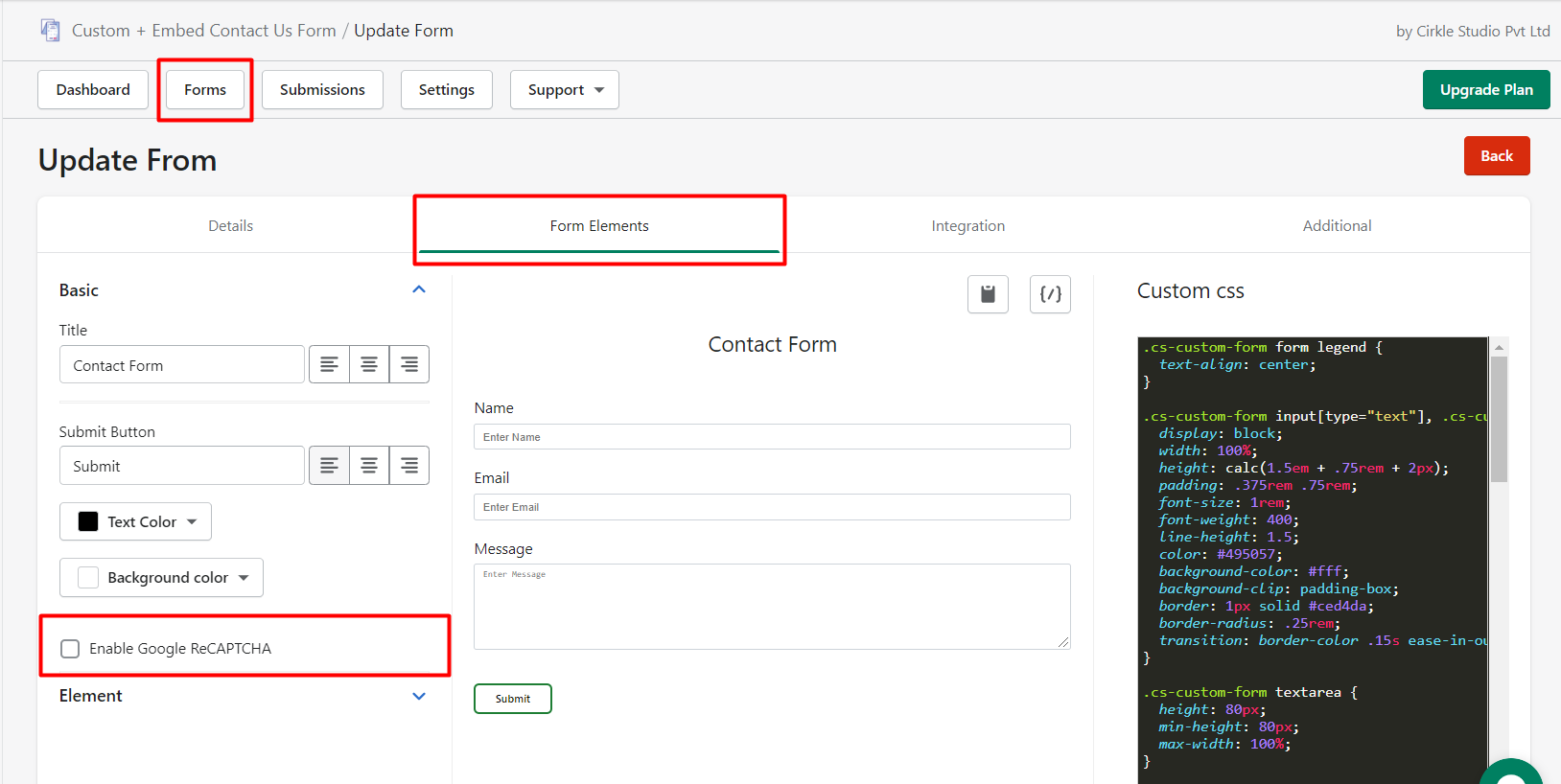
To render google ReCaptcha in APP Admin please add another domain “ecf.cirkleinc.com” with the same API key.