






Welcome to Our Help Desk.
You will get all the detailed information for your queries related to our Shopify apps.

-
Dashboard

-
Basic about Stores locators
-
Different Settings
-
Text & translations
-
Other
How to display Stores locators on a page?
 6199 Views
 July 07, 2021
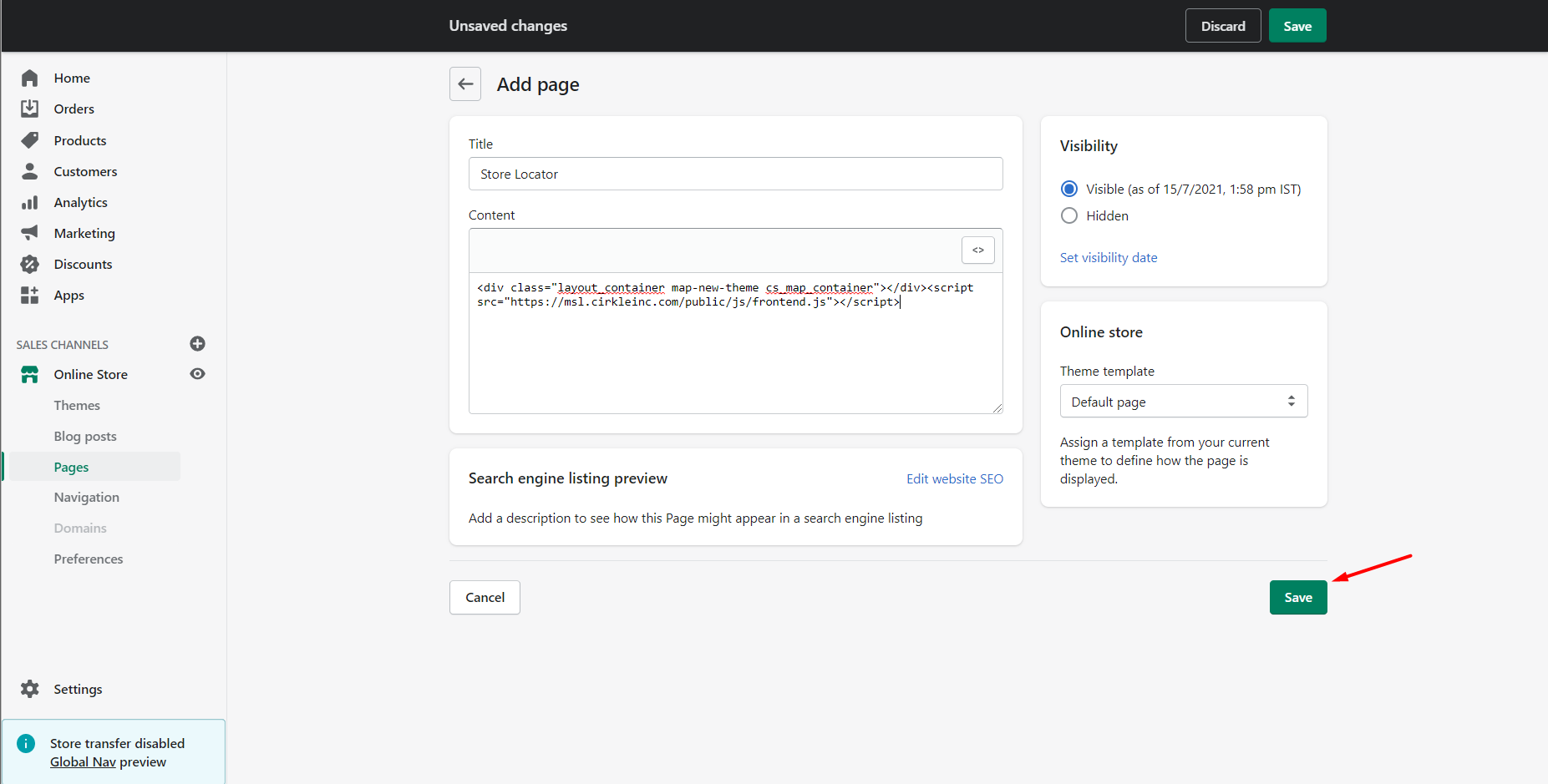
Step 1: Copy the short code from the settings.
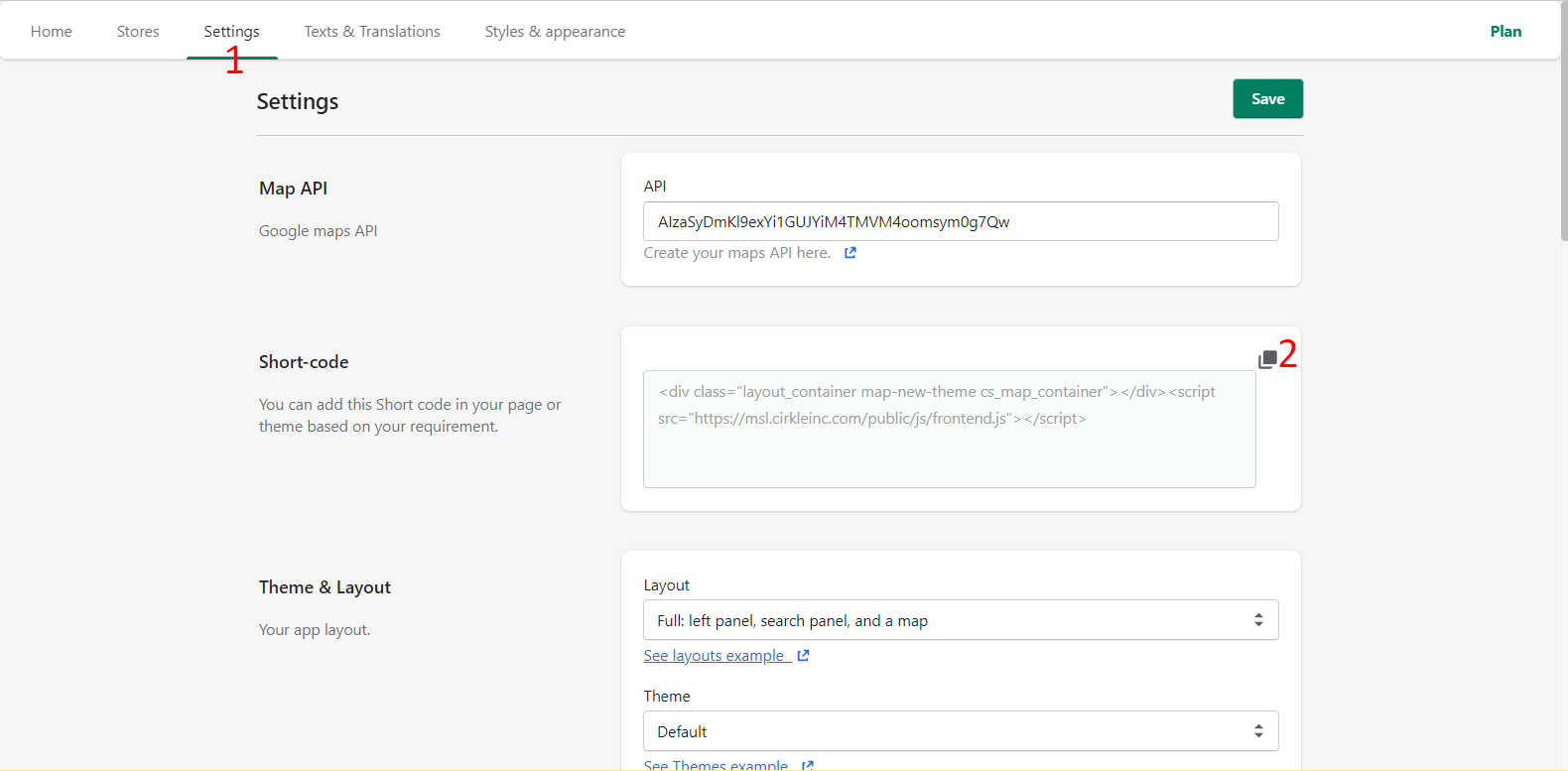
Step 2: Create a new page.
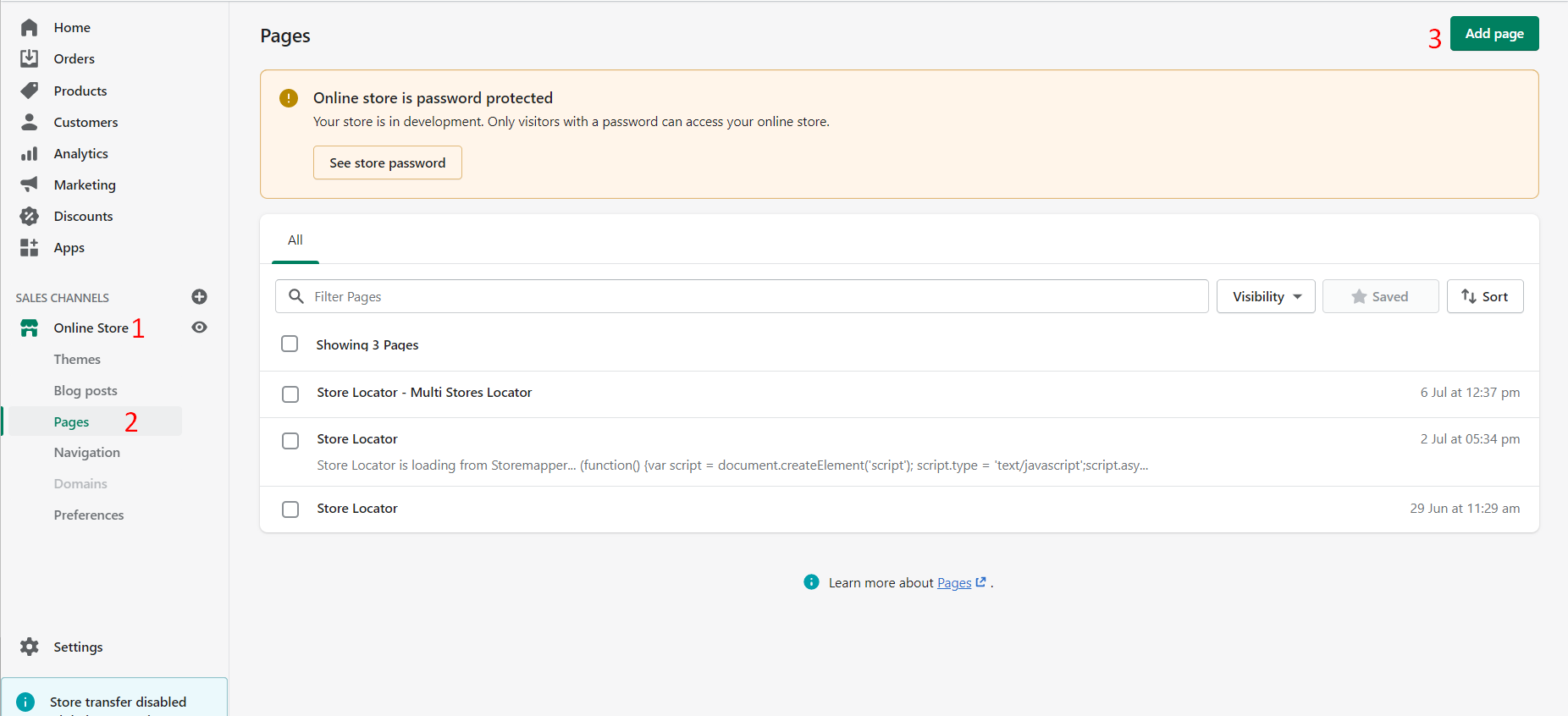
Step 3: Click on Show HTML page.
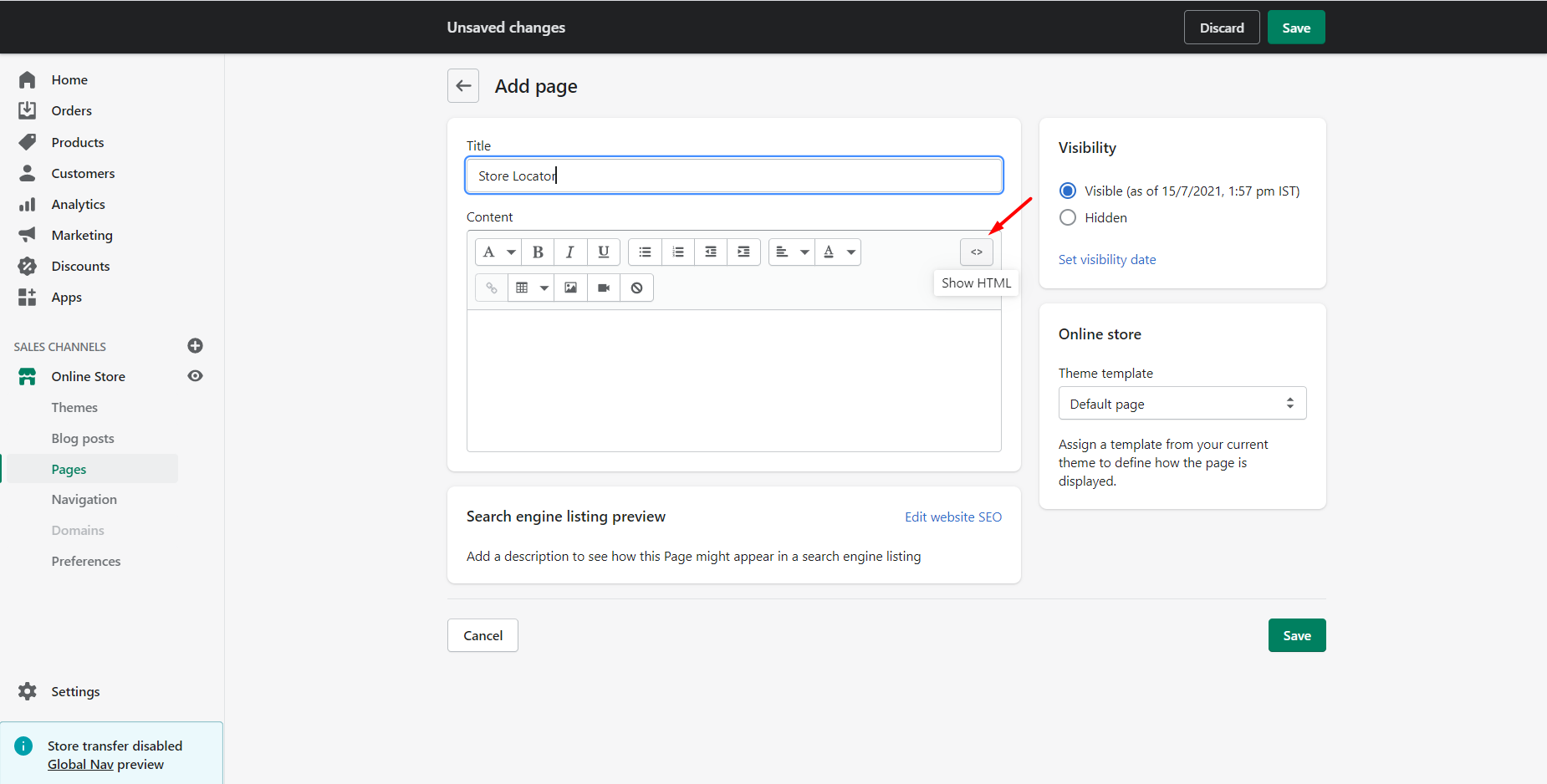
Step 4: Paste the short code which you copied on the first step.