





facebook_pixelimg
Get in touch

Welcome to Our Helpdesk

You will get all the detailed information for your queries related to our Shopify apps.

Texts & Translations Settings

view 9875 Views
July 07, 2021

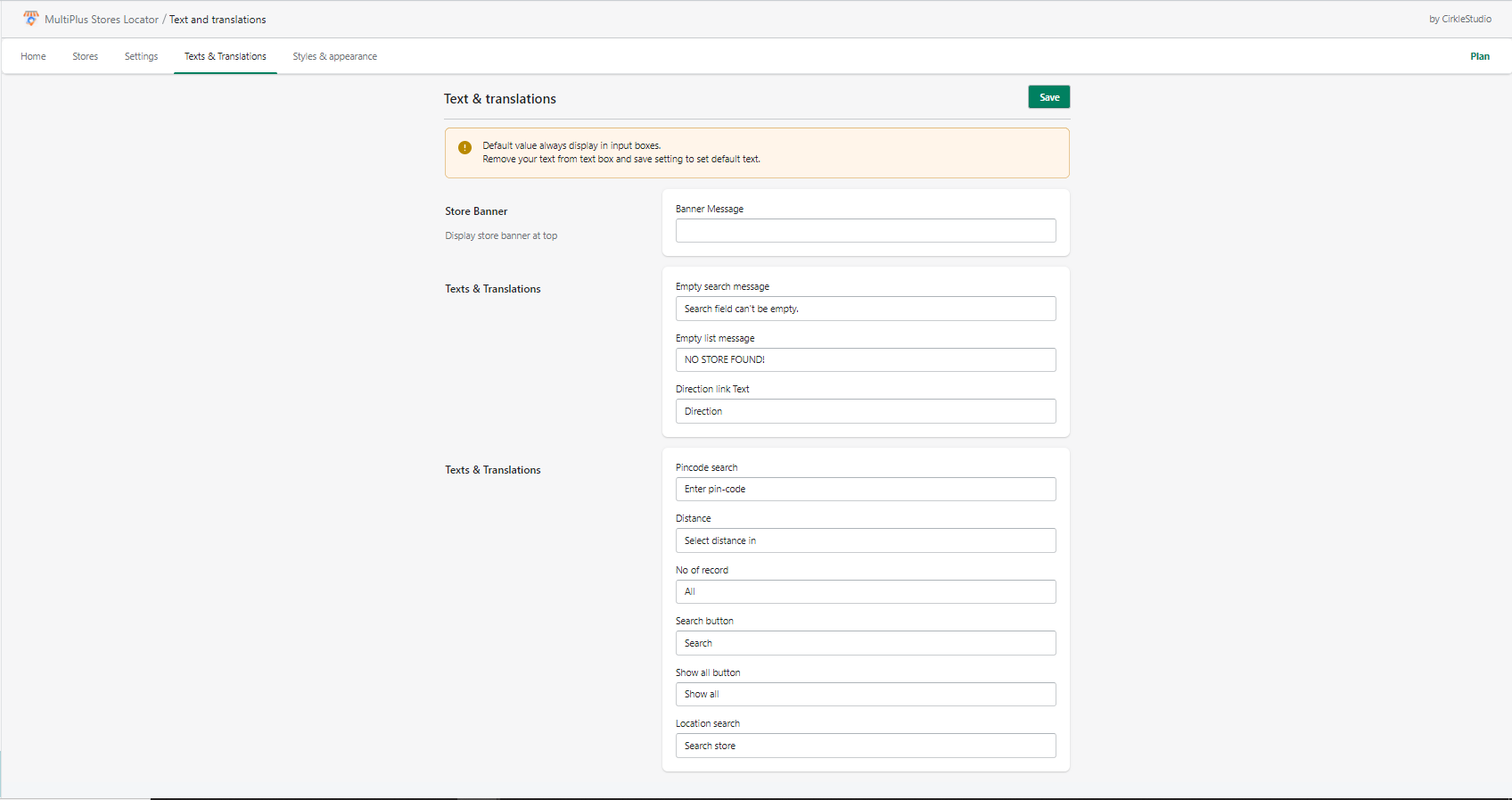
The Texts & Translations section lets you customize the default messages and labels used in the store locator. This helps you match your store’s tone of voice and provide a better experience for your customers.

Available Options:

1. Empty Search Message

 empty search message

Shown when a customer tries to search without entering anything.

Default: “Search field can’t be empty.”

Example: You can change it to “Please enter a location before searching.”

2. Empty List Message

empty list message

Shown when no stores are found that match the search.

Default: “No record found.”

Example: You can change it to “Sorry, no stores match your search. Try a different location.”

3. Direction Link Text

direction link text

The label of the button/link that opens the map directions.

Default: “Direction”

Example: You can change it to “Get Directions” or “View on Map.”

Steps to Update:

Step 1: Go to MSL dashboard > Texts & Translations

Step 2: Edit the text fields as per your preference.

Step 3: Save changes.