





Welcome to Our Help Desk.
You will get all the detailed information for your queries related to our Shopify apps.

-
Dashboard

-
Basic about Stores locators
-
Different Settings
-
Text & translations
-
Other
Theme and Layout
 6057 Views
 July 07, 2021
– Change color & map style to best match your theme.
– Change the Layout as per your convenience.
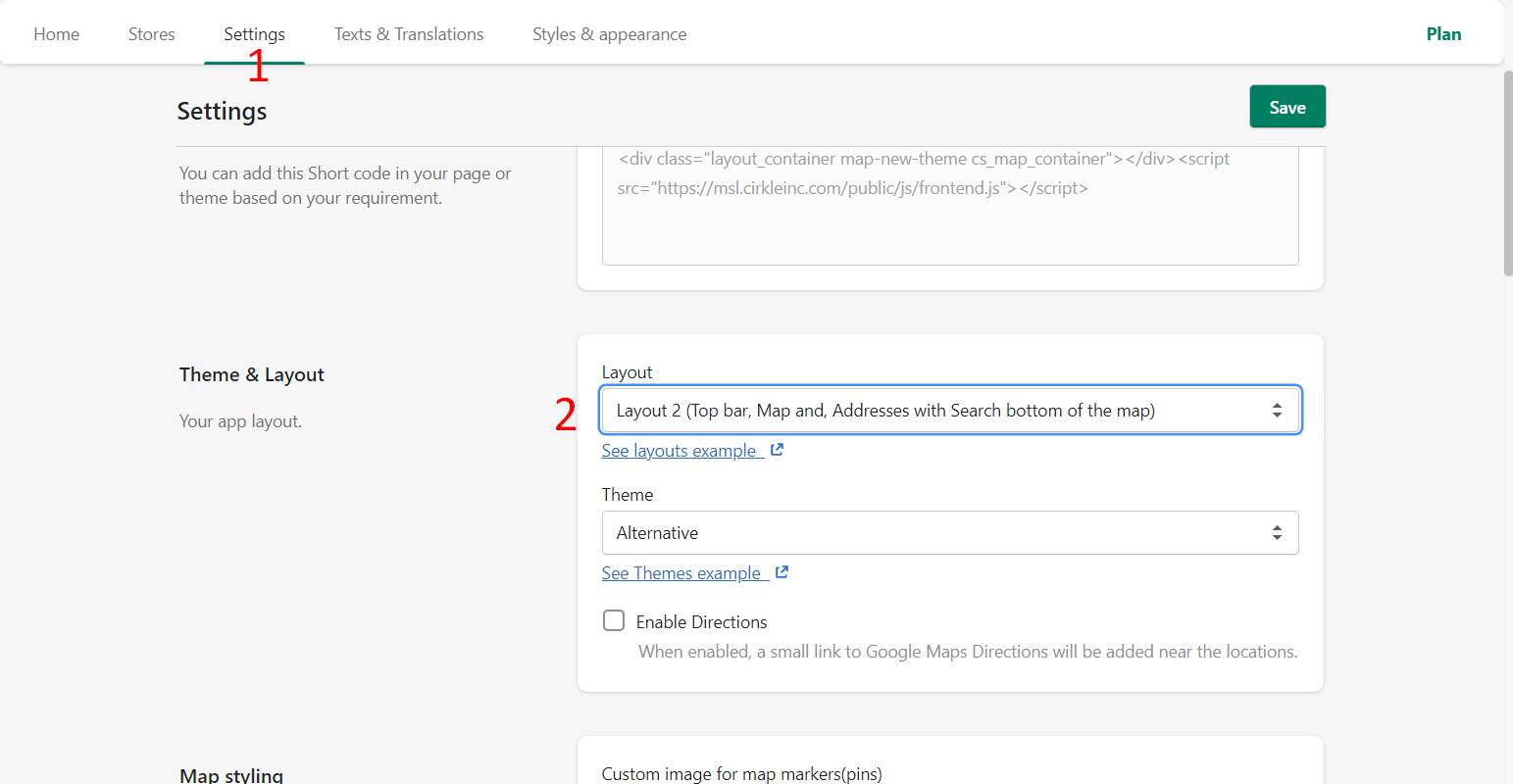
Different layout options:
- Layout 1 (Left search with Addresses, Top bar, and Map)
- Layout 2 (Top bar, Map and, Addresses with Search bottom of the map)
- Layout 3 (Left Addresses without search, Top bar, and Map)
- Layout 4 (Top bar and Map without search and Addresses)
You can Enable Directions: When enabled, a small link to Google Maps Directions will be added near the locations.