







Welcome to Our Help Desk.
You will get all the detailed information for your queries related to our Shopify apps.

-
Dashboard

-
Basic about Stores locators
-
Different Settings
-
Text & translations
-
Other
Initial State
 6167 Views
 July 07, 2021
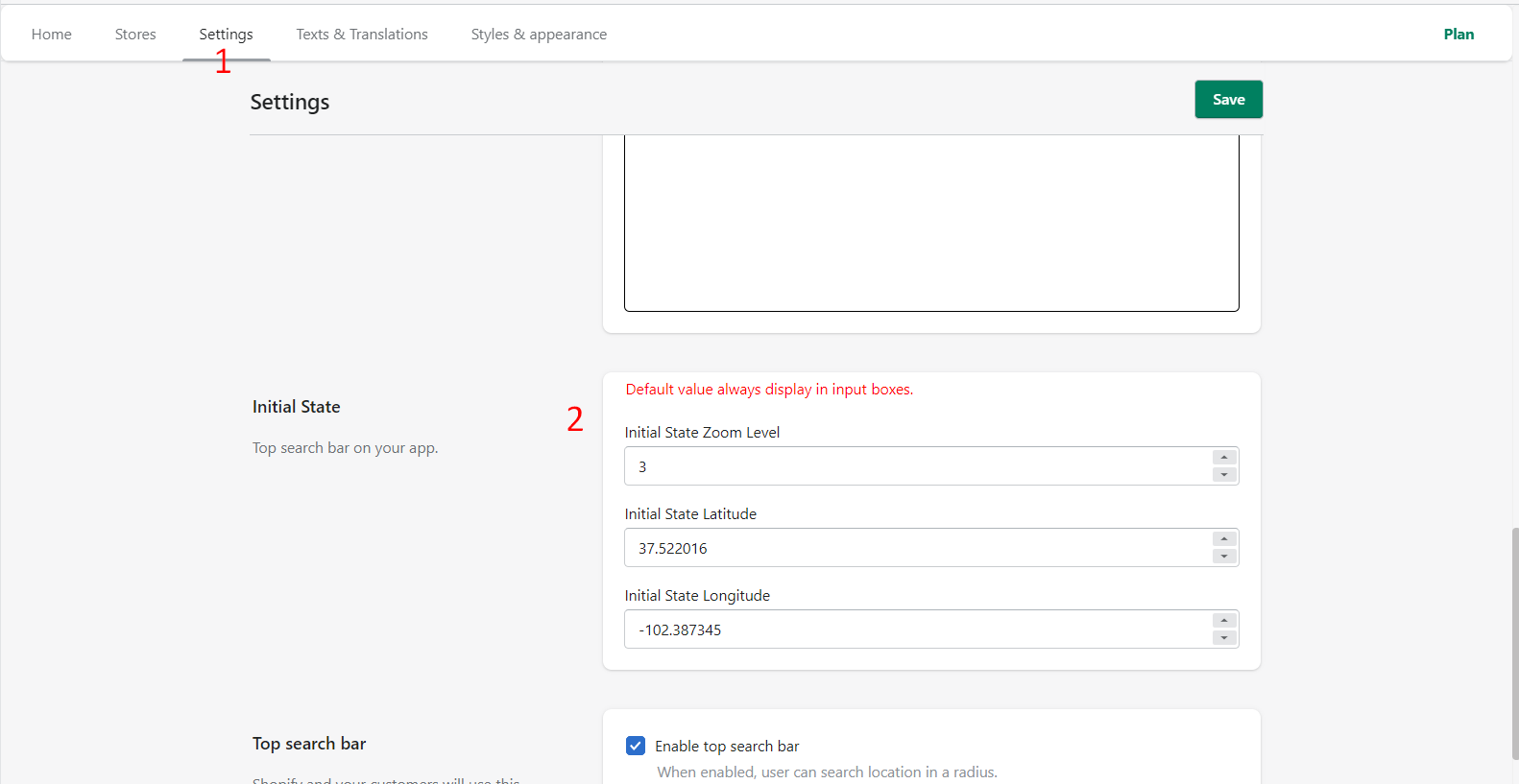
If you want to update the center position of your init map on the Store Locator. You just update the value under settings.
How can I get Latitude & Longitude?
It is really simple to get the Latitude & Longitude.
Please follow the below steps.
Open https://maps.google.com/
Go to your center position which you want to display on your store locator map.
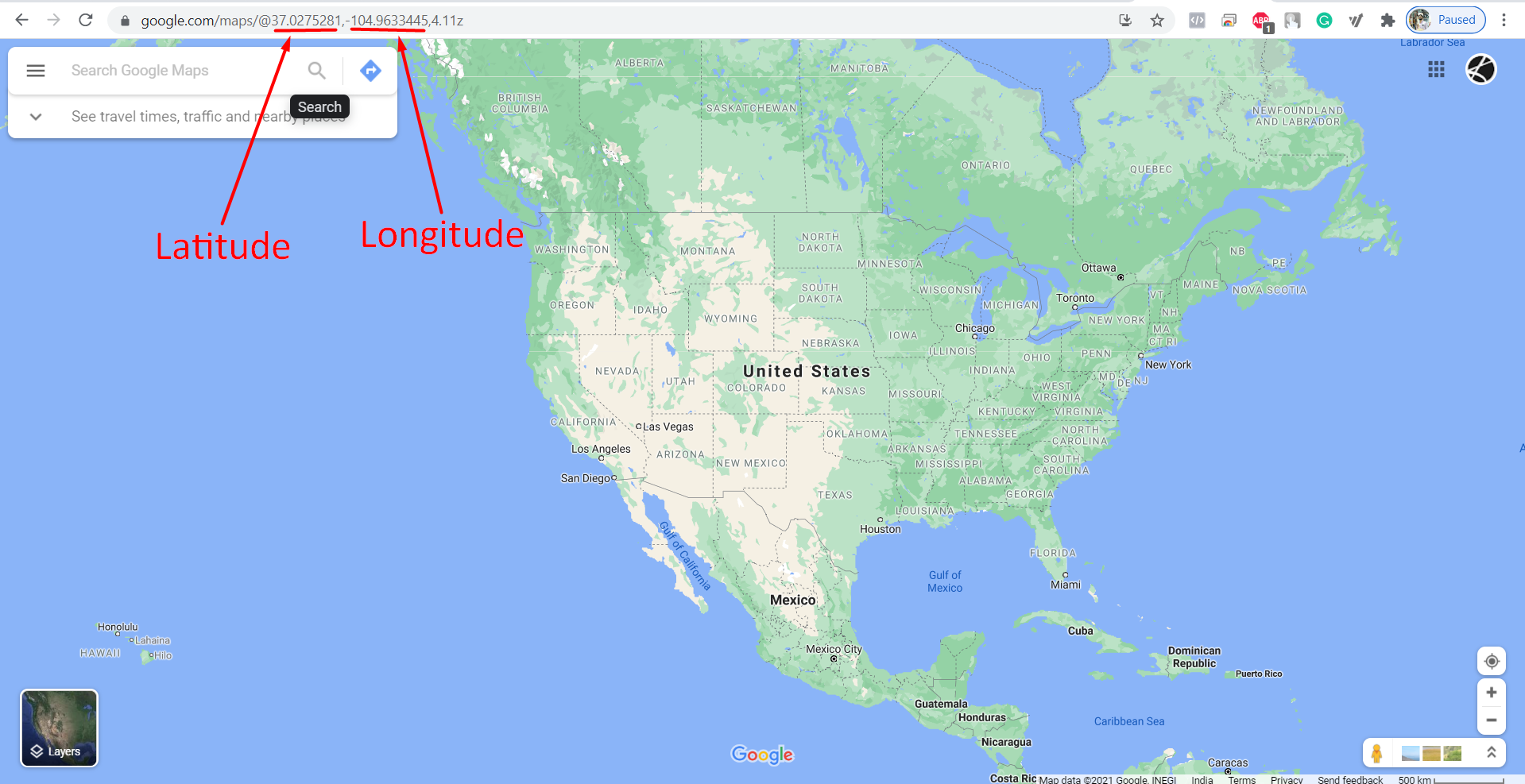
You can set the zoom level based on your need.